Applies to: vehicles with multi-function button
You can make various adjustments to the seats using the multi-function button.
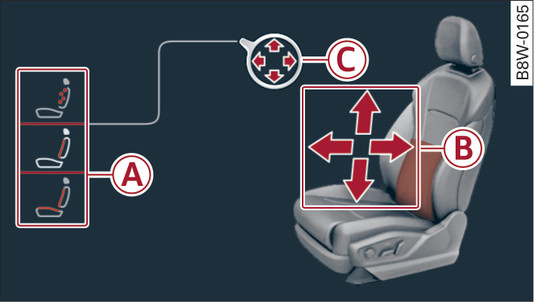
- Fig. 60 Infotainment display: Seat adjustment
How to use the controls
If you turn the multi-function button -1- Fig. ► to the left or right, the possible seat adjustment settings -A- will appear on the infotainment display Fig. 60►.
To select a seat adjustment setting, turn the multi-function button -1- in the appropriate direction until the desired setting is highlighted by a red border.
The arrows -B- indicate the possible adjustment options. For example, to move the lumbar support downwards, press the lower part of the multi-function button -1-. The corresponding arrow -C- will light up.
The following seat adjustment settings -A- are possible:
Massage function* - Select the massage type: Wave, Stretch, Knead or Off. You can vary the intensity of the massage from 1 to 3. The selected massage function is switched on and off with button -B- Fig. 60►.
Lumbar support - Lumbar support up/down and in/out.
Side cushions* - To increase/reduce lateral support in seat by moving side cushions on backrest.
Note
- The massage function switches off automatically after 10 minutes.
- The air in the side cushions* is released when you open the driver s door. This makes it easier to get in and out of the vehicle. The side cushions are re-inflated as soon as you drive the vehicle.