Applies to: vehicles with joystick function
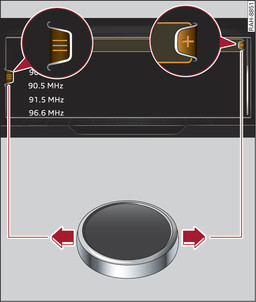
- Fig. 191 Calling up the selection/options menu with the rotary pushbutton
Important: The symbol for the selection menu must be shown on the infotainment display Fig. 191►.
To call up/close the selection menu: Press the rotary pushbutton to the left Fig. 191► to call up the selection menu. You can then use the rotary pushbutton to select and confirm a function.
Important: The symbol for the options menu + must be shown on the infotainment display Fig. 191►.
To call up/close the options menu: Press the rotary pushbutton to the right Fig. 191► to call up the options menu. You can then use the rotary pushbutton to select and confirm a function.