.
►
Audi A4
►
Infotainment
◀
TV
Applies to: vehicles with TV
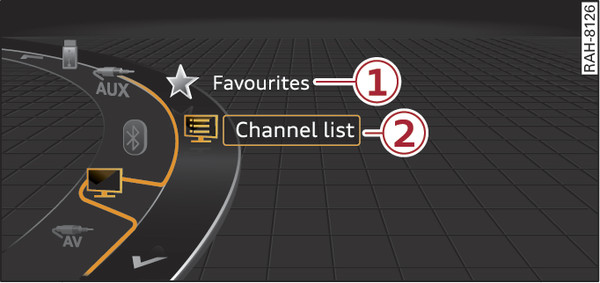
Fig. 253 TV menu (example)
Press the
MEDIA
button. Press the left control button repeatedly until the source overview is displayed. Select and confirm
TV
.
You can select the following items in the TV menu
Fig. 253
►
:
-1-
Favourites
The favourites list will be displayed. The menu item
Favourites
appears if at least one channel has been stored as a favourite. Refer to
link
►
.
-2-
Channel list
The channel list will be displayed.
◀
back